


Watching Shahid
What Is Shahid?
Shahid is the leading Arabic streaming platform offering non-stop & on-demand premium entertainment including award-worthy and exclusive Shahid Originals; Shahid Premieres; Arabic movies fresh off the box-office and much more.
Need Shahid in your Sling TV service? Check out Sling TV's Shahid VIP packages.
Watch Shahid On Demand channel on the Sling App
Shahid on-demand content is now available on the Sling App across many compatible devices! Customers who subscribe to our Al Ostoura or Shahid package will now be able to watch Shahid content directly on the Sling app. You can watch Shahid on Sling on up to three (3) different devices at the same time.
To watch Shahid simply go to the Sling channel guide menu and scroll down to the Shahid channel (Step 1 below). With the channel tile highlighted, press the 'Select' or 'OK' button on your remote to launch the Shahid content menu (Step 2 below). By selecting the heart icon at the top of the menu, you can add Shahid to your favorite list for faster access in the future!
If scrolling isn't your thing, you can also use the search menu to speak or type “Shahid” using your streaming device remote.
STEP 1
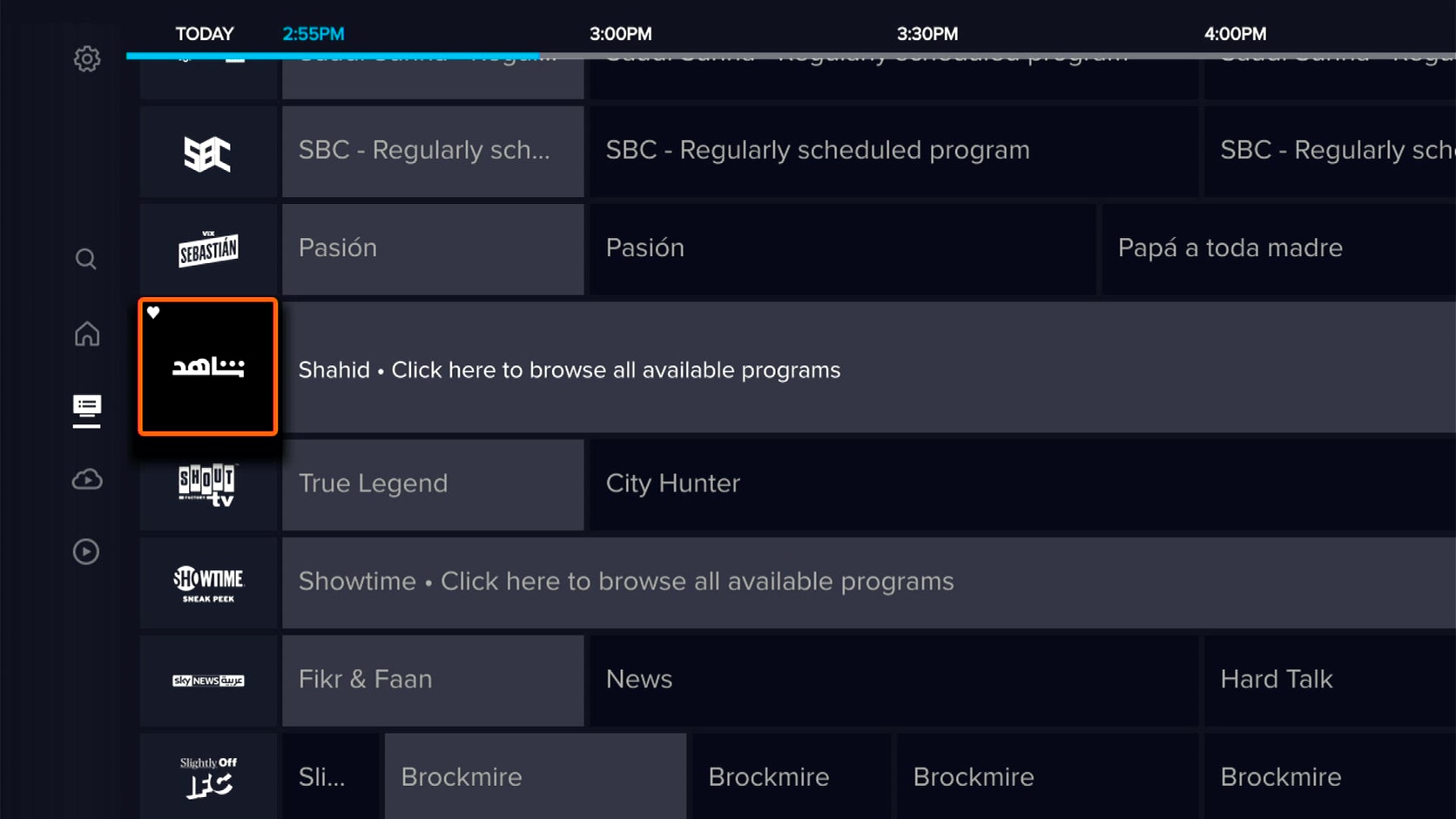
STEP 2
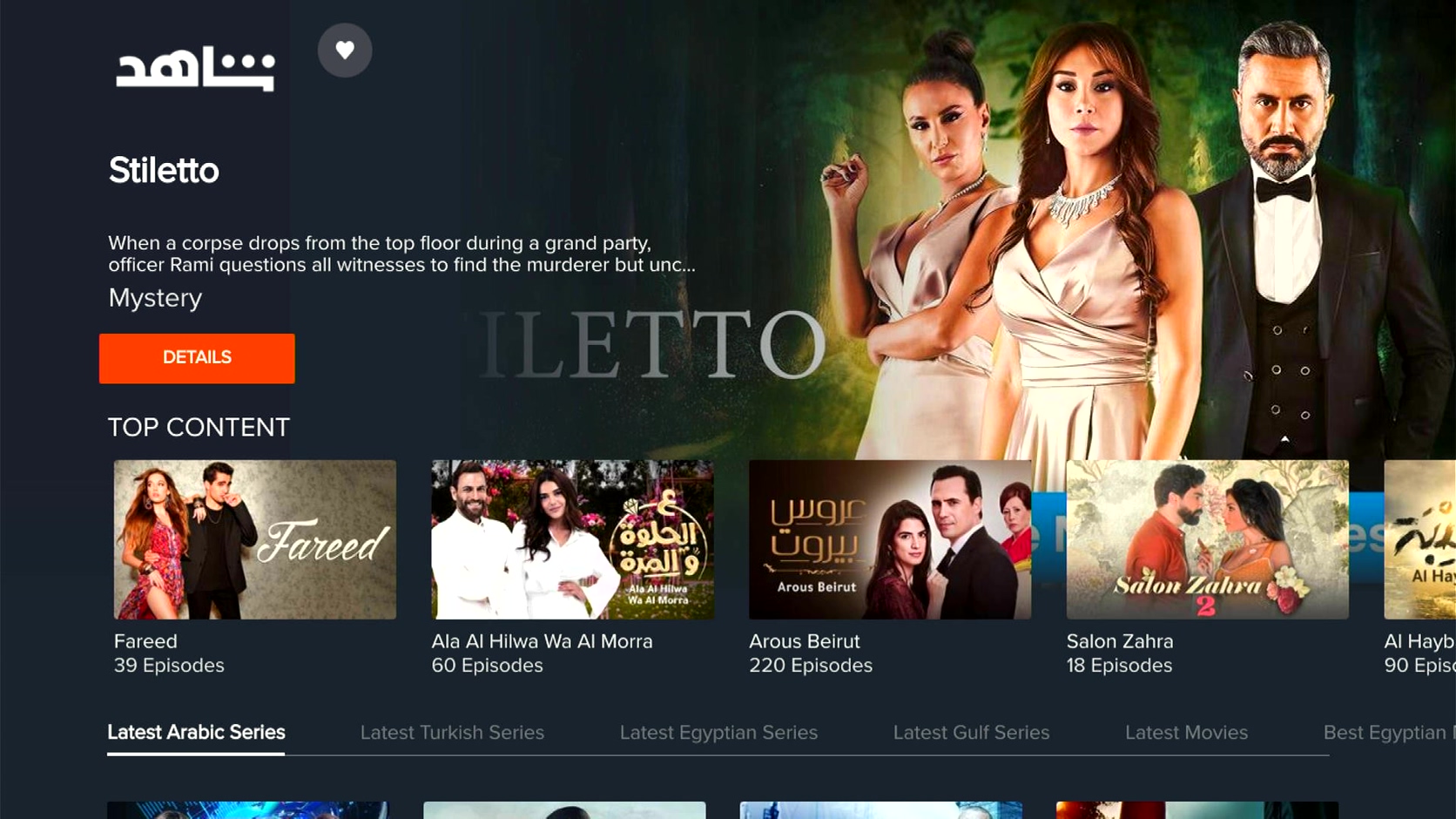
Frequently Asked Questions (FAQs)
Click on a question below to view the answer.
As a subscriber, you can enjoy Shahid content on up to three (3) different devices at the same time, at no additional cost.
No – Programming content from American channels such as Food Network is not accessible by U.S. customers on the Shahid service. Customers can view this content through Sling Orange or Sling Blue base services.
You can watch Shahid using the Sling TV app on any Supported Device
For issues with your Shahid VIP app, or questions and comments about Shahid, please visit the Shahid help center to submit a question or request. Find the help center link at the bottom of the page.
You can also reach out to their customer support team directly. For customer support please email customersupport@shahid.net.
Not finding what you're after?
- Our Chatbot can solve many problems 24/7. Click the Chat icon on your screen to begin.
- Visit our Troubleshooting & Technical Issues page to find answers to FAQs and solutions to common problems.
- For even more comprehensive viewing guides and sports schedules head over to sling.com/whatson.